Chatbot AI Assistant - Genie
- 4.5
- Rating
- 10.00M
- Installs
- Free
- Price

 Analysis by App-foxy
If you are looking for one place to ask questions, draft text, brainstorm ideas, and experiment with AI images, Chatbot AI Assistant - Genie is an approachable starting point. I found its biggest appeal in the way it brings several well-known AI models into one productivity app instead of making me jump between separate services. It is free to install, aimed at Everyone, and developed by APPNATION AS, so it feels designed for ordinary day-to-day use rather than only for technical users.
The app has a strong public reception, with a 4.5 average from around 269 thousand ratings and more than 10 million installs. Those figures do not make it perfect, but they do suggest that Genie has succeeded in becoming a familiar option for people who want an AI assistant on a phone. My experience is that it is most useful when I treat it as a flexible thinking partner, not as an unquestionable source of truth.
What to expect when you open Genie
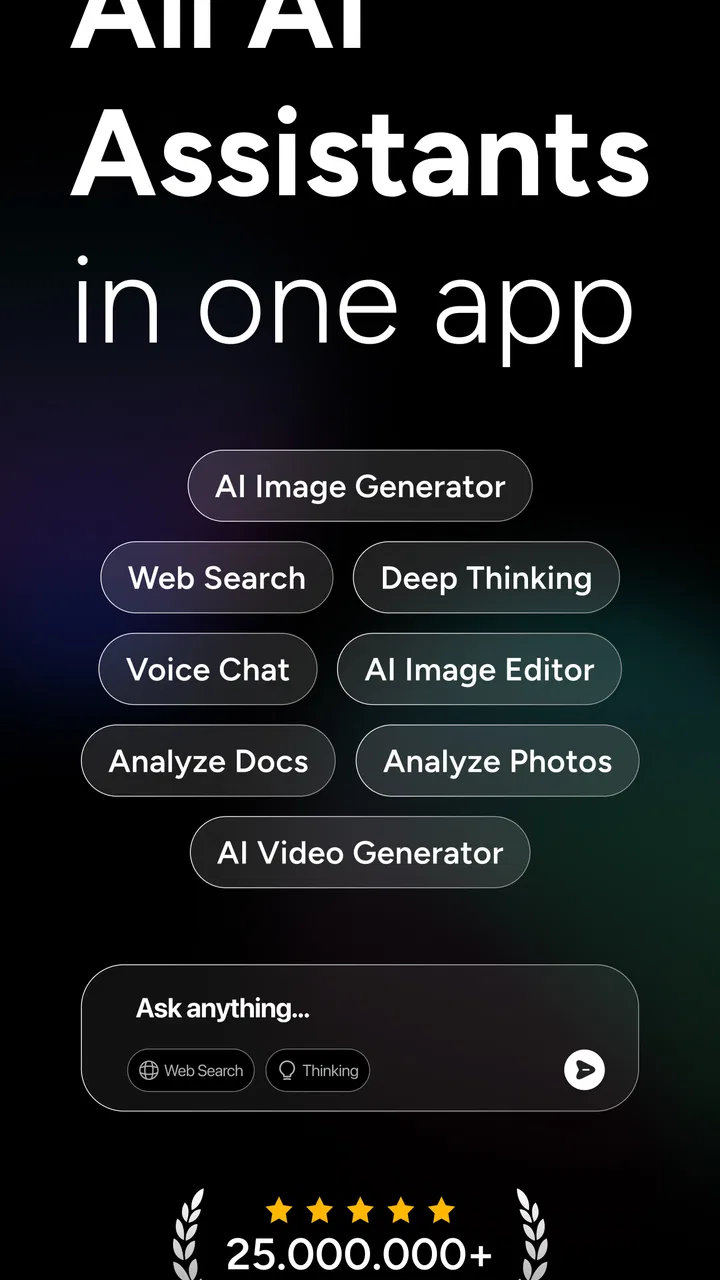
Genie belongs in the productivity category, but it is broader than a simple notes app or task manager. Its purpose is to help turn a plain-language request into something useful: a clearer email, a list of ideas, a summary, a study explanation, a plan, or an image prompt. The store summary highlights access to GPT-5, Gemini, Grok, Deepseek, Qwen, Claude, and an AI Image Generator, which gives the app a wider range than a single-model chatbot.
You May Also Like

 Blood Strike: 2.5 Anniversary
Blood Strike’s Loadouts Turn Every Drop Into a Tactical Gamble
A close look at Blood Strike’s custom loadouts: how fast access to signature weapons reshapes its battle royale rhythm, rewards preparation, and narrows the gap between fights.

 Pandora - Music & Podcasts
Pandora’s Music Is Easy to Start, but Harder to Recover
Pandora’s strength is its low-effort path from a seed to a station. Its weak spot is how much confidence it asks you to place in connection, setup, and quiet recovery.

 8 Ball Pool
 Is Built on Rivalries, Rematches, and Routine
A close look at the rivalries, rematches, shared routines, and unanswered safety questions that turn a quick pool match into a persistent mobile community.

 Samsung Music
’s Quiet Strength Is Playing What You Already Own
Its reach comes less from spectacle than from dependable access to a personal library. That simplicity is both the app’s strongest retention engine and its ceiling.

 AccuWeather: Weather Radar
AccuWeather Review: A Quick, Clear Forecast for Everyday Decisions
For everyday plans, the best forecast is the one you can understand quickly. AccuWeather makes rain timing, radar, and local conditions easy to act on, with a few trade-offs.

 Hill Climb Racing
Why Hill Climb Racing Still Turns Crashes Into One More Run
A tiny car, a bumpy hill and one more upgrade: Hill Climb Racing keeps resurfacing because its simple chaos makes every near-miss feel personal.
More From Our News Desk



That variety is valuable, although it also changes how I approach the app. Different models may respond with different levels of detail, structure, creativity, or caution. I would not choose a model randomly and assume the first answer is automatically the best one. For a practical task, I start with a clear request, inspect the result, and then try another available model when the wording, reasoning, or tone does not fit what I need.
The first important expectation is that Genie does not remove the need to explain yourself. “Write something good” usually produces a less useful result than a request that includes the audience, purpose, length, and tone. The app can help refine a vague idea, but the quality of the conversation still depends heavily on the instructions I give it.
I also see it as a companion to familiar productivity tools rather than a complete replacement for them. A conventional calendar is still better for fixed appointments, a dedicated notes app is often better for long-term organization, and a search engine remains useful when I need to inspect several original sources. Genie is strongest in the middle: taking information or an intention and helping me shape it into a practical next step.
How to make the first session less confusing
After installing the app, I recommend beginning with one small task instead of testing every capability at once. Ask it to rewrite a short message, explain a subject in simple language, or turn a rough list into an organized plan. A modest request makes it easier to judge the answer and understand how the conversation works.
For example, I might type, “Turn these three rough ideas into a polite message to my landlord, keep it under one short paragraph, and make the tone calm.” That request gives Genie a job, a target reader, a style, and a limit. If the first draft sounds too formal, I can follow up with “Make it warmer but still respectful.” This back-and-forth is more effective than repeatedly starting new chats with slightly different wording.
The presence of several AI systems can tempt new users to focus on model names before they know what they want to accomplish. I think the better order is the reverse: define the task first, then compare responses if the result matters. The model choice becomes meaningful when I can explain what is missing, such as stronger structure, a more natural voice, or a more imaginative approach.
My first useful result: from rough thought to finished draft
The most reassuring early success is usually a transformation task. Genie does not need me to arrive with a polished question; it can work from a rough paragraph or a handful of notes. I can paste a messy plan for a weekend event and ask it to arrange the information into a checklist, identify missing details, and suggest a sensible order.
That workflow is more useful than simply asking for “ideas” because it gives the assistant material to work with. It also lets me check whether it preserved the facts I supplied. When I use AI for practical writing, I read the output against my original notes rather than assuming that a fluent sentence is an accurate one.
A realistic example is preparing for a busy Monday. I could enter a list containing a meeting, two errands, a report, and a reminder to call a family member. Genie can help group the items, suggest a sequence, and draft a short reminder message. I would still decide the actual schedule myself, but the app reduces the friction of turning scattered thoughts into an actionable outline.
This is where the app feels different from a standard search tool. Search is useful when I need pages, sources, or current information to inspect. Genie is more convenient when I already have the raw material and need help editing, organizing, explaining, or extending it. On the other hand, if the question depends on current prices, official rules, medical guidance, or a precise quotation, I would verify the answer elsewhere before relying on it.
Using the image generator without wasting attempts
The AI Image Generator adds a creative side that ordinary writing assistants do not offer. I get better results when I describe the subject, setting, mood, composition, and intended use instead of entering only a few broad keywords. “A cozy desk” leaves too much open; a request describing the lighting, viewpoint, colors, and purpose gives the generator a clearer direction.
One practical use is creating a visual starting point for a presentation, personal project, invitation, or social post. I would treat the first image as a draft rather than an endpoint. If the composition is wrong, I change one element at a time so I can tell which instruction improved or weakened the result. This is less frustrating than rewriting the entire prompt after every attempt.
There is also a trade-off here. Image generation can be enjoyable for experimentation, but it may not be the best choice when I need exact branding, precise text inside an image, or strict control over a layout. For those jobs, a conventional design application gives me more predictable control. Genie is better for exploring a visual direction quickly than for replacing a full design workflow.
Where Genie fits into everyday productivity
I found three especially useful workflows. The first is rewriting. I can provide a message that sounds abrupt and ask for a clearer, friendlier version without changing its meaning. The second is compression: a long passage can become a short set of points that is easier to review. The third is expansion: a bare idea can become an outline, a list of questions, or a starting draft.
The important detail is to tell Genie what must remain unchanged. If I am rewriting a work message, I specify the deadline, names, figures, or commitments that cannot be altered. If I am summarizing notes, I ask it to separate confirmed facts from suggestions. This simple habit reduces the risk of receiving polished wording that quietly changes the substance.
For learning, I prefer asking for explanations at different levels rather than requesting a single answer. I might ask for a beginner-friendly explanation first, then request an analogy, then ask for a short quiz. This turns the conversation into a study aid instead of a passive answer box. I still check important academic or technical details, but the ability to ask follow-up questions makes difficult material less intimidating.
For planning, I use the assistant to reveal steps I may have overlooked. A request such as “Help me prepare for a small move; separate tasks into before, moving day, and after” can create a useful framework. I would not let the app make decisions involving contracts, safety, or sensitive personal information without independent judgment, but it can be a good way to expose gaps in my own thinking.
Common points of friction and how I handle them
The first confusion for many new users is the difference between a confident answer and a verified answer. Genie can produce smooth, convincing language even when a detail needs checking. I therefore ask it to show assumptions, identify uncertainty, or work only from the text I provide when accuracy matters. That does not guarantee perfection, but it makes the conversation easier to audit.
The second issue is model selection. Having GPT-5, Gemini, Grok, Deepseek, Qwen, and Claude available sounds simple, but a first-time user may wonder which one should handle each task. My practical approach is to begin with the default or most convenient option, then compare another model only when the response is weak or the task has a different character. Creative brainstorming, careful rewriting, and structured reasoning may benefit from different responses, but I would judge them by the result rather than by the model label.
The third point is cost. Genie is free to install, but it includes in-app purchases ranging from $4.99 to $129.99 per item. I would explore the free experience before paying for anything and check exactly what a purchase changes in my own store screen. This matters especially for casual users who only need occasional help. Someone using AI every day may see more value in an upgrade, while someone asking a few questions each month may not.
Another limitation is that a multi-purpose assistant can feel less focused than a specialized tool. A dedicated writing application may offer better document controls, while a task manager may handle recurring reminders and organization more reliably. Genie earns its place when I want flexible conversation and quick transformations, not when I need a strict system for storing and tracking every piece of work.
Privacy also deserves common sense. I avoid pasting passwords, private account details, confidential work material, or personal information about someone else simply because the app makes sharing text easy. The convenience of asking an assistant to summarize something should not override the responsibility to protect the original content.
Small techniques that noticeably improve the output
One technique I rely on is giving Genie a role together with a deliverable. Instead of asking it to “help with a presentation,” I ask it to act as a critical editor and return a slide outline, a list of weak points, and three questions the audience may ask. The requested format makes the answer easier to use and easier to evaluate.
A second technique is asking for alternatives rather than endless polishing. If a message feels wrong, I request three versions: direct, warm, and formal. Comparing distinct options helps me choose a voice faster than asking for ten tiny revisions of one draft. I then combine the strongest parts myself.
A third is using a verification pass. After Genie produces a plan or summary, I ask, “List every assumption you made and every detail that came directly from my notes.” This is particularly helpful when the assistant has filled in gaps. It does not replace checking the source, but it exposes where I should pay attention.
A fourth is separating brainstorming from decision-making. I first ask for possibilities without committing to one, then provide my constraints and ask for a shortlist. This prevents the first attractive suggestion from taking over the whole conversation. It is a subtle but useful way to keep control of the process.
Who should use it, and who may prefer something else
Genie is a good fit for students, busy workers, writers, and curious users who want one mobile place for questions, drafts, explanations, and creative experiments. It is especially helpful if switching between several AI services feels inconvenient. The age rating of Everyone also makes it broadly approachable, although younger users still need guidance about checking information and protecting personal data.
I would recommend it to someone who often starts with an unfinished thought. The app can turn that thought into a structure, a draft, or a set of next actions. It is also appealing to users who want to compare different AI approaches instead of being tied to one assistant.
I would steer a user toward a specialized alternative if their main need is a dependable calendar, a database of notes, advanced document formatting, or a design tool with precise manual control. I would also skip it as a primary authority for high-stakes medical, legal, financial, or safety decisions. In those situations, Genie can help formulate questions, but qualified sources and professionals should lead the final decision.
The app runs on Android starting with version 8.0, and its current version is 10.5.8. That makes it accessible to many existing devices, though I would still keep the application updated when possible so the experience matches the current release available on my phone.
My recommendation after putting it through ordinary tasks
What I like most about Genie is not any single answer. It is the combination of conversation, model choice, and image creation in a free productivity app that is easy to approach. The strongest results came when I supplied context, requested a clear format, and treated the response as a draft to review rather than a final authority.
The weaknesses are equally practical: model choice can confuse beginners, fluent answers still require checking, and the in-app purchase range means heavy use may lead to a different cost decision than occasional use. The app also cannot replace focused tools when I need rigid organization or exact visual control.
My advice is to install it with one real task in mind. Start by rewriting a message, organizing a personal plan, or explaining something you are learning. Once that first result is useful, try a follow-up request, compare another model only when needed, and experiment with the image generator separately. That path lets you discover what Genie is genuinely good at without turning the first session into a tour of every option.
Overall, I see Chatbot AI Assistant - Genie as a versatile helper for moving from a blank page to a workable first version. It is not a substitute for judgment, specialist software, or reliable primary sources, but it can make everyday thinking and writing noticeably easier. If you want an accessible AI workspace rather than a single-purpose utility, I think it is worth trying while keeping your expectations—and your sensitive information—under control.
FAQs for Chatbot AI Assistant - Genie
01What is Chatbot AI Assistant - Genie, and what can it do?
Chatbot AI Assistant - Genie is an AI-powered companion designed to answer questions, generate text, brainstorm ideas, summarize information, help with writing, and support everyday productivity. During testing, it was useful for drafting messages, creating outlines, explaining general topics, and improving wording. Its responses are generated automatically, so users should treat it as a helpful assistant rather than a guaranteed source of accurate or professional advice.
02Is Chatbot AI Assistant - Genie free to download and use?
The app can generally be downloaded at no initial cost, but access to certain features may depend on subscriptions, in-app purchases, usage limits, or the selected plan. Availability can vary by platform, region, and app version. Before starting a trial or confirming a purchase, carefully review the pricing page, renewal terms, and cancellation instructions, especially if the app offers premium AI models or expanded usage.
03Does Genie require an internet connection to work?
Yes, most of Genie’s AI functions require an active internet connection because requests are processed through online servers. The app may open or display previous conversations while offline, but generating new answers, sending prompts, and using advanced tools can be unavailable without Wi-Fi or mobile data. Performance also depends on connection quality, server availability, and the complexity of the request.
04Can I trust the answers provided by Chatbot AI Assistant - Genie?
Genie can produce clear and convincing responses, but its answers may occasionally contain inaccuracies, outdated information, misunderstandings, or fabricated details. Always verify important facts using reliable sources, particularly for medical, legal, financial, academic, employment, or safety-related decisions. Avoid sharing sensitive personal information, passwords, private documents, or confidential business data unless you have reviewed the app’s privacy terms and understand how your information is handled.
05Is Chatbot AI Assistant - Genie suitable for children and professional use?
The app may be useful for learning, creative activities, writing assistance, and general questions, but suitability depends on the child’s age, the platform’s requirements, and the supervision provided by an adult. AI-generated content can sometimes be inappropriate or misleading. For professional use, Genie can help with drafts and ideas, yet users should review every result carefully and avoid treating it as a replacement for qualified human judgment.
Pros
- Supports natural conversations for quick answers
- ideas
- and everyday assistance.
- Can help draft emails
- messages
- stories
- and other written content.
- Useful for brainstorming
- summarizing text
- and improving writing clarity.
- Simple chat-based interface makes it easy for beginners to use.
- Available on mobile
- making AI assistance convenient while traveling or multitasking.
Cons
- Some answers may be inaccurate
- outdated
- or presented with too much confidence.
- The quality of responses can vary depending on how clearly prompts are written.
- Advanced features may require a subscription or include in-app purchases.
- AI-generated content may need editing before professional or academic use.
- Sharing sensitive personal information with the chatbot may raise privacy concerns.

Chatbot AI Assistant - Genie
Gallery